I was working on Tawen, my Android app, when another small reporting task turned into a tour of Google Play Console.
There were releases to check, acquisition reports to export, screenshots to update, and reviews to understand. The assistant helping me with the code could investigate a bug in the repository, but getting the relevant Play data into the same conversation still involved exports, screenshots and copying things between windows.
I wanted to ask a question about my app and have the assistant retrieve the evidence. Which release is on which track? What does Google report about its status? What changed in the reviews or Android vitals?
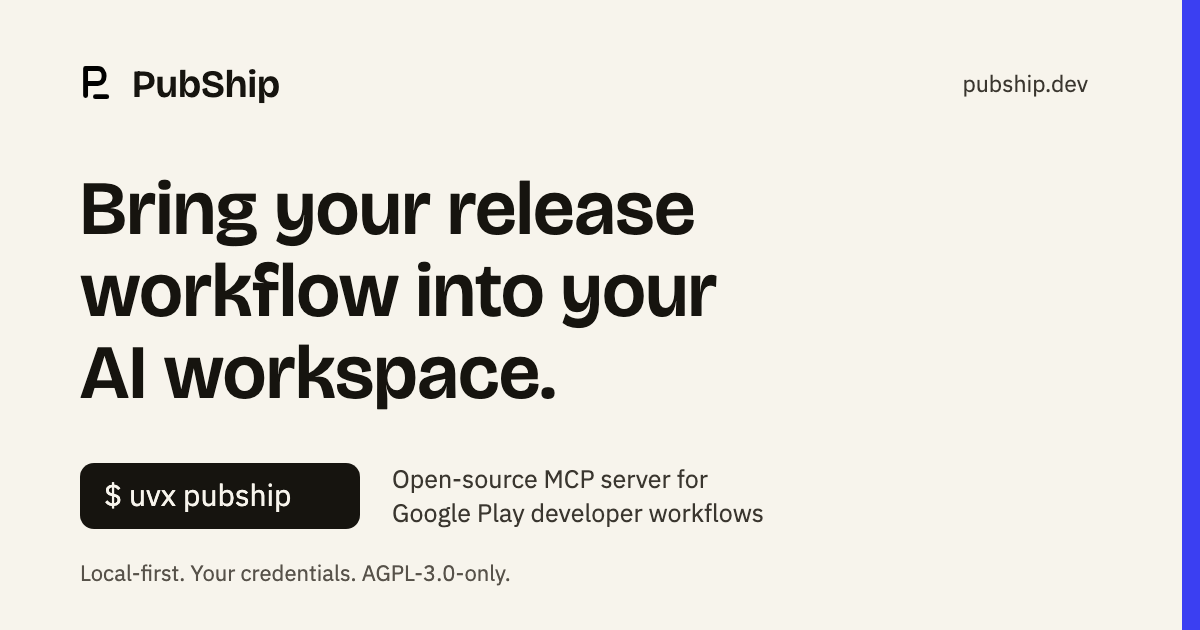
That became PubShip, an open-source MCP server for Google Play developer workflows. It runs locally with the developer's own credentials. We now use it in the Tawen engineering workflow that prompted the idea.
Getting there involved API research, a fairly demanding review process, a change in product direction, a new brand, packaging, distribution, and a few reminders that passing tests and understanding your system are separate jobs.
The idea came from work I was already doing
I'd already been using MCP integrations for other parts of my work. In the agency website rebuild, connecting tools to the assistant made it easier to move from a question to source data and then to a change.
I wanted that same continuity for Android releases.
MCP, the Model Context Protocol, gives an assistant a way to discover tools and call them with structured arguments. For PubShip, those tools sit between the assistant and the Google services a developer already uses. The assistant can request release information or a report; PubShip validates the request and performs the supported operation with the developer's permissions.
The first requirements were practical: read the data we needed for Tawen, preserve what the provider actually said, and make the result useful inside an engineering conversation.
Then I asked whether this was worth building as a product someone else could use.
We researched the coverage before expanding it
There were already Google Play MCP servers. Some advertised substantial API coverage. Another wrapper with a large tool count would need a better reason to exist.
I cared about the complete workflow: setup, permissions, useful results, controlled changes, packaging, documentation and verification. Could someone install it without knowing my environment? Could an assistant tell the difference between inspecting a release and changing one? Could we explain which operations were available and why others were not?
We built an inventory from pinned provider discovery documents and worked through the supported methods. That gave us a concrete backlog and a way to check whether the documentation matched the implementation.
As of this writing, the inventory contains 172 method definitions, with 170 implemented. One subscription-archive method is unsupported by Google. Voided-purchase access is deliberately disabled in PubShip. The method inventory records those distinctions.
Those are API methods, not 170 separate buttons presented to an assistant. PubShip groups operations behind tools with defined purposes. The default local configuration exposes 13 tools; explicitly enabling additional capabilities expands that set.
The count is useful for tracking scope. It says nothing by itself about whether a particular operation has been exercised against someone's production account.
I used AI agents, with an engineering process around them
I built PubShip with Codex and AI agents assigned specific responsibilities. I set the direction, challenged the scope, reviewed decisions and approved publication. When I say "we" here, I mean that working process.
The review model grew out of the agent setup I already use. For larger changes, I wanted separate passes for architecture, implementation, adversarial review and QA. Delivery also needed an owner: someone checking whether the issue, pull request, documentation and release evidence agreed.
For the recent tool-definition audit, I asked for six roles: two architects, two software engineers, QA and a technical program manager.
The assignments had to be specific. Review the authorization boundary. Inspect the schema that the client receives. Follow what happens after an interrupted write. Check the installed wheel outside the source checkout. A general request to "make it production-ready" leaves too much room for a reassuring summary.
Issues also needed requirements and acceptance criteria. A useful ticket says what must change, what must remain true, and what evidence closes it. The same discipline applies to a personal project, especially when agents can generate more work faster than I can review it.
A useful ticket says what must change, what must remain true, and what evidence closes it.
Read access and write access needed different treatment
The part I spent the most time challenging was the write path.
An assistant that can inspect a release is useful immediately. An assistant that can change release state needs explicit permissions and a reviewable operation. PubShip defaults to reads. Optional writes require configuration for the relevant targets and operations, alongside the developer's Google permissions.
The write workflow separates preparation from execution. A preparation describes the proposed request and returns an operation identifier. The caller reviews it before applying the operation with the required confirmation. Preparations expire and are single-use.
Where the workflow checks an existing resource before writing, a changed baseline must stop execution. Otherwise, an assistant could approve a proposal against one state and apply it after that state had changed.
Release wording matters too. An edit can contain staged changes without those changes being public. A release can be submitted and still be under review. A successful request does not establish that users can download the new version.
I wanted those distinctions preserved in both the implementation and the responses an assistant reads. They are exactly the details that disappear when a dashboard gets summarized too confidently.
PubShip became a local-first product
We explored a public hosted service during the earlier build. That brought its own engineering: account isolation, OAuth, credential storage, connection limits, backups and operational acceptance.
Eventually I narrowed the product to something I wanted to maintain: an open-source tool developers run with their own credentials, on their own computer or infrastructure.
The public project became PubShip, with separate repositories for the server and website. The source is licensed under AGPL-3.0-only.
The project does not operate a Google-connected service or receive users' Google credentials. Optional HTTP self-hosting remains available for the operator's own accounts. It requires an exact email allowlist and verified Google identity; enrollment is closed by default.
That decision gave the product a clearer shape. The primary installation is local, the permissions belong to the developer, and the documentation can explain one straightforward starting point.
The package had to work away from my checkout
A repository working on my machine is only part of distribution.
We built the Python wheel and source archive, inspected their contents, and checked the installed package outside the checkout. Release assets have checksums. GitHub releases contain notes describing the delivered changes. PyPI and the MCP Registry use trusted-publishing workflows with human approval gates.
I also insisted on bundled releases. Tags alone were not enough; someone arriving at the repository needed a release they could understand and install.
The published package is PubShip 0.24.1. With uv installed, the credential-free installation check is:
uvx pubship --check
Running the server for actual Play work requires the developer's own credentials and permitted package names. The setup guide covers that. A setup assistant should ask for the local key-file path, never ask someone to paste the key into a conversation.
We added instructions for Claude Code, Codex and generic MCP clients, plus a Cursor plugin manifest, a Gemini CLI extension manifest and an installer guide for agents. Each is another surface to maintain. A manifest passing validation does not prove every client version has been tested end to end.
The brand and website were part of shipping it
PubShip needed an identity of its own, including a name and mark that would not imply it was a Google product.
That meant more than replacing a heading. Package metadata, commands, repository links, client manifests, favicons, social images, documentation and legal pages all had to agree. I chose a separate website repository so the site could deploy through Coolify without coupling a copy change to a Python release.
I brought in a design direction, reviewed the implementation, and kept pushing on the details. Navigation should land where expected. A footer should have a coherent reading order. The logo should align with its wordmark. Mobile layouts need to be inspected at real widths.
One website fix taught a useful lesson. We had added height to the last section so its anchor could reach the same position as earlier sections. That satisfied the positioning test and left a large empty area on the page. The correct behavior at the end of a document is to reach the scroll limit with the heading visible. We fixed the layout and made the final-anchor assertion reflect that behavior.
The site needed discoverability too: descriptive copy, useful setup and permissions pages, canonical URLs, a sitemap and search-console verification. Getting indexed was a measurable first step. Ranking for competitive searches will take more than putting the right phrase in a title.
Quality checks had to include what the assistant sees
An MCP server has a user interface even when it has no dashboard. Its tool names, descriptions and argument schemas are what an assistant uses to decide what to call.
We reviewed PubShip against TDQS, the Tool Definition Quality Score specification. That exposed a concrete gap: the input properties had types, but lacked descriptions. A string field named method still leaves questions about identifier format, where to find a valid value, and which calls the current connection permits.
The audit worked from the actual MCP tools/list responses. We added parameter guidance, result interpretation and mode-specific prerequisites, then checked three configurations: local defaults, all local opt-ins and self-hosting.
It also caught misleading side-effect hints. Preparing an operation creates temporary state. Binary preparations may retain file snapshots or claim an upload handle. The metadata should disclose that, even when preparation makes no Google mutation.
The resulting source changes passed offline TDQS lint with explicitly reviewed heuristic findings. Those checks are documented separately from a model-scored grade. They have merged; they are newer than the published 0.24.1 package and do not automatically replace a directory's cached score.
One failing test showed the guard was doing its job
The final CI pass found a failure in a stdio test that prepared and then applied a listing change.
The fake provider calculated its edit expiry as "current time plus one hour" on every read. If the two reads crossed a second boundary, the expiry changed. PubShip compared the metadata, noticed the difference, and refused to write.
The fixture was accidentally simulating a changed resource.
We reproduced both cases: changing expiry produced zero write calls; stable expiry allowed exactly one. The fix was to give the synthetic edit one expiry at startup. The production comparison stayed intact. Twenty isolated repetitions then passed, followed by the cross-platform suite.
The final Linux jobs each passed 3,958 tests, macOS passed 3,957, and the separate browser job passed 120. The platform-specific skips are documented. Test counts help describe the work; the more useful evidence is knowing why a failure occurred and whether the correction preserved the behavior we needed.
Most of this verification uses synthetic providers. I do not want an exhaustive test suite proving its coverage by making destructive changes to a live Play account.
Distribution brought a different set of checks
Publishing the package gave developers a way to install it. Helping them find it was another task.
We registered PubShip in the official MCP Registry as io.github.pubship/pubship, worked on directory listings, and submitted it for inclusion in GitHub's MCP Registry. GitHub's team approved that submission. I was pleased about that, and careful to keep approval separate from claiming the listing was already live.
Directory presence also brings dependencies outside the repository. Glama successfully built an earlier version, then later builds failed with HTTP 502 responses and no Docker build logs. We tested the referenced source and the same proxy version locally; initialization and tool discovery passed. The hosted failure remains tracked for Glama to investigate.
That is part of distribution work too: distinguish an application failure from an external failure, preserve the evidence, and keep the public status accurate while someone investigates.
We use it on the app that started it
PubShip is now part of how we work on Tawen. We use it to bring Play information into the engineering conversation and check what the provider reports about releases, reviews and app performance.
A useful request is concrete:
Check the release state for my app and explain what Google reports. Keep anything staged, under review or published clearly distinguished.
That read-back complements the build and release pipeline. CI produces and uploads artifacts; PubShip helps us inspect the provider-side result. I still own the decision to release.
Using the tool ourselves keeps the requirements specific. Authentication that expires at an inconvenient moment, a report without clear date coverage, or a status description that invites the wrong conclusion all become problems in our own workflow.
The next time I need to understand what happened to a Tawen release, I have a tool built for that question. Other Android developers can inspect the same implementation, run it with their own accounts and report where it falls short.
That is a useful outcome for a project that began with another CSV export.
Try it: pubship.dev · Source · PyPI · Setup
Technical status checked on October 10, 2026. PubShip is an independent project and is not affiliated with, endorsed by, or sponsored by Google.